
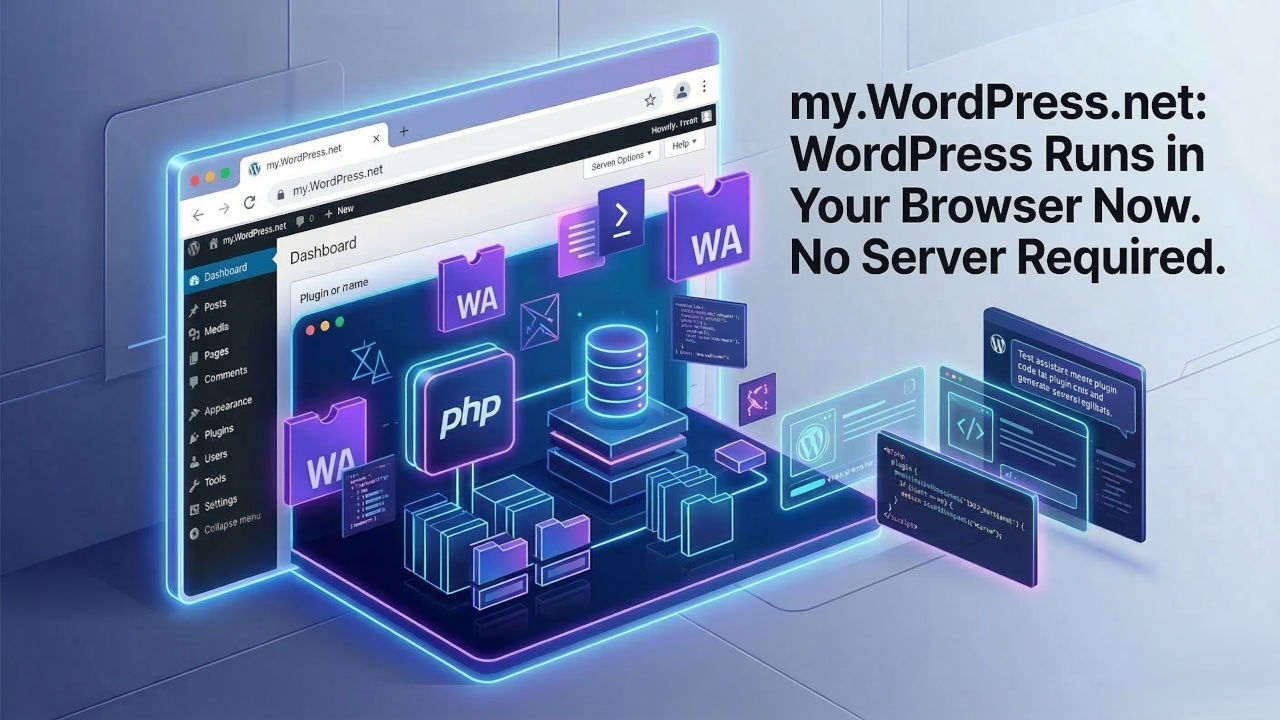
On March 11, 2026, WordPress.org launched my.WordPress.net – a fully functional WordPress installation that runs entirely inside the user’s web browser. No hosting account. No domain. No signup. No server. The entire CMS – PHP runtime, database, file system – executes locally in the browser using WebAssembly.
The service is free, with no account creation required. All data stays on the user’s device and is never uploaded anywhere. And it includes a built-in AI assistant that can modify plugins, build new ones from scratch, and query data stored in the local WordPress instance.
It is, functionally, a private WordPress workspace that exists only on your machine – and it represents a fundamental shift in how the WordPress project thinks about its own future.
How It Works
my.WordPress.net is built on WordPress Playground, an open-source project that compiles the PHP interpreter and its C extensions into WebAssembly using the Emscripten toolchain. This allows PHP scripts to execute directly inside the browser engine rather than on a remote server.
Because browsers cannot run MySQL, the service uses SQLite instead, via the official SQLite Database Integration plugin. The 2.0 release of this plugin passes 99% of the WordPress unit test suite, making it functionally equivalent to a MySQL-backed installation for most use cases.
The system uses Service Workers and Worker Threads APIs to handle HTTP requests and run background scripts. PHP 8.3 is the default runtime version. First launch takes approximately 30 seconds while WordPress downloads and initializes; subsequent loads are faster.
Data persists between browser sessions on the same device using browser storage. Each device maintains its own separate installation – there is no cloud sync (though it is on the roadmap).
What You Can Do With It
my.WordPress.net is positioned not as a website builder but as a personal workspace. The distinction matters. This is not designed to replace WordPress.com or compete with Wix and Squarespace for public website creation. It is designed to give individuals a private, extensible, no-cost digital environment.
The service launches with an App Catalog that includes several pre-built applications:
- Personal CRM – Contact management with grouping, reconnection reminders, and communication pattern analysis
- Personal RSS Reader – Built on the Friends plugin, an algorithm-free feed reader
- AI Workspace and Knowledge Base – AI-powered writing, querying stored data, and plugin creation
Users can also install any WordPress plugin, build custom tools, and use the full WordPress editor for writing, drafting, and content organization.
The AI Assistant
The built-in AI assistant, powered by OpenAI integration, goes beyond typical chatbot functionality. It can:
- Modify existing plugins through natural-language requests
- Build entirely new plugins from scratch
- Query and analyze data stored in the local WordPress instance
- Remember previous interactions and track what it has modified
This positions my.WordPress.net as a platform where non-technical users can create custom tools through conversation – a concept that aligns with the broader industry trend toward AI-generated applications, but executed within the WordPress ecosystem rather than as a standalone product.
Limitations
The service has real constraints that define its scope:
- Storage: Approximately 100 MB initial allocation – not suitable for media-heavy projects
- Device-specific: Data does not sync between devices. Each browser maintains its own installation
- Private by default: Sites are not accessible from the public internet
- No automatic backups: Users must manually download backups
- Performance: Slower than traditional WordPress because OpCache is not enabled in the Wasm PHP build. Heavy plugins like Elementor and WooCommerce will experience significant slowdowns
Reception
Community reaction has been mixed. According to WordPress news outlet The Repository, developers in the WordPress Slack and on social media questioned how my.WordPress.net differs meaningfully from WordPress Playground (playground.wordpress.net), which already lets users spin up temporary browser-based WordPress instances. One developer called the project’s landing page an example of why “other platforms make fun of WordPress.” The key difference is persistence: Playground creates disposable instances that disappear when the browser closes, while my.WordPress.net creates installations that survive browser restarts.
An Automattic Product Manager acknowledged that “the bar has to be higher,” suggesting the team recognizes the current version is a starting point.
Matt Mullenweg clarified in his companion blog post, “WordPress Everywhere,” that the launch is “just the opening move in a much larger plan” with a roadmap including peer-to-peer sync between devices, version control integration, and cloud publishing that would allow browser-based sites to become publicly accessible.
WordPress contributor Alex Kirk offered a more expansive framing: “This takes WordPress from being framed as something that is democratizing publishing to democratizing digital sovereignty.”
What This Means for the Hosting Industry
At first glance, a WordPress installation that requires no hosting might seem like a threat to hosting providers. In practice, the limitations – no public access, no cloud sync, 100 MB storage, no backups, degraded performance – mean that my.WordPress.net is not a substitute for hosted WordPress. Its constraints position it less as a standalone product and more as an onramp into the WordPress ecosystem.
Someone who starts writing in my.WordPress.net and outgrows it will need hosting. Someone who builds a personal tool and wants to share it will need a server. Someone who discovers WordPress through the browser-based experience and decides to build a real website will become a hosting customer.
WordPress Playground was used 1.4 million times in 2025. Adam Zielinski, the Playground project lead, described his 2026 goal as making Playground “useful and easily accessible for a large crowd out there that’s not super technical.” If that crowd adopts my.WordPress.net as a personal workspace, hosting providers are positioned to capture the subset that eventually needs more.
The deeper strategic significance is about WordPress’s competitive position. In a market where Wix, Squarespace, and Hostinger offer instant, no-friction onboarding, WordPress has historically required choosing a host, installing software, and configuring a domain before writing a single word. my.WordPress.net eliminates every barrier to trying WordPress – and in doing so, it turns the world’s most popular CMS into a zero-friction entry point for the first time.
WordPress currently powers approximately 43% of all websites globally – roughly 605 million sites. Mullenweg’s stated vision is to go “from millions of WordPresses in the world to billions.” my.WordPress.net is the infrastructure designed to make that possible.

Łukasz Nowak
Nearly two decades in IT. A decade in web hosting - and still in the trenches. Writing about the infrastructure that runs the internet from the inside.
Sources
- Your Browser Becomes Your WordPress - WordPress.org (Brandon Payton)
- WordPress Everywhere - Matt Mullenweg
- WordPress Debuts a Private Workspace That Runs in Your Browser - TechCrunch
- WordPress Launches Playground-Powered Personal Workspace, but Reception Is Mixed - The Repository
- Adam Zielinski’s Vision for WordPress Playground in 2026 - The Repository
- AI Assistant Can Now Build Plugins on my.WordPress.net - Dataconomy
- Build In-Browser WordPress Experiences with WordPress Playground and WebAssembly - web.dev
- WordPress Playground - GitHub Repository
- How Playground Cut PHP.wasm Binary Sizes by 122 MB - Make WordPress Playground