
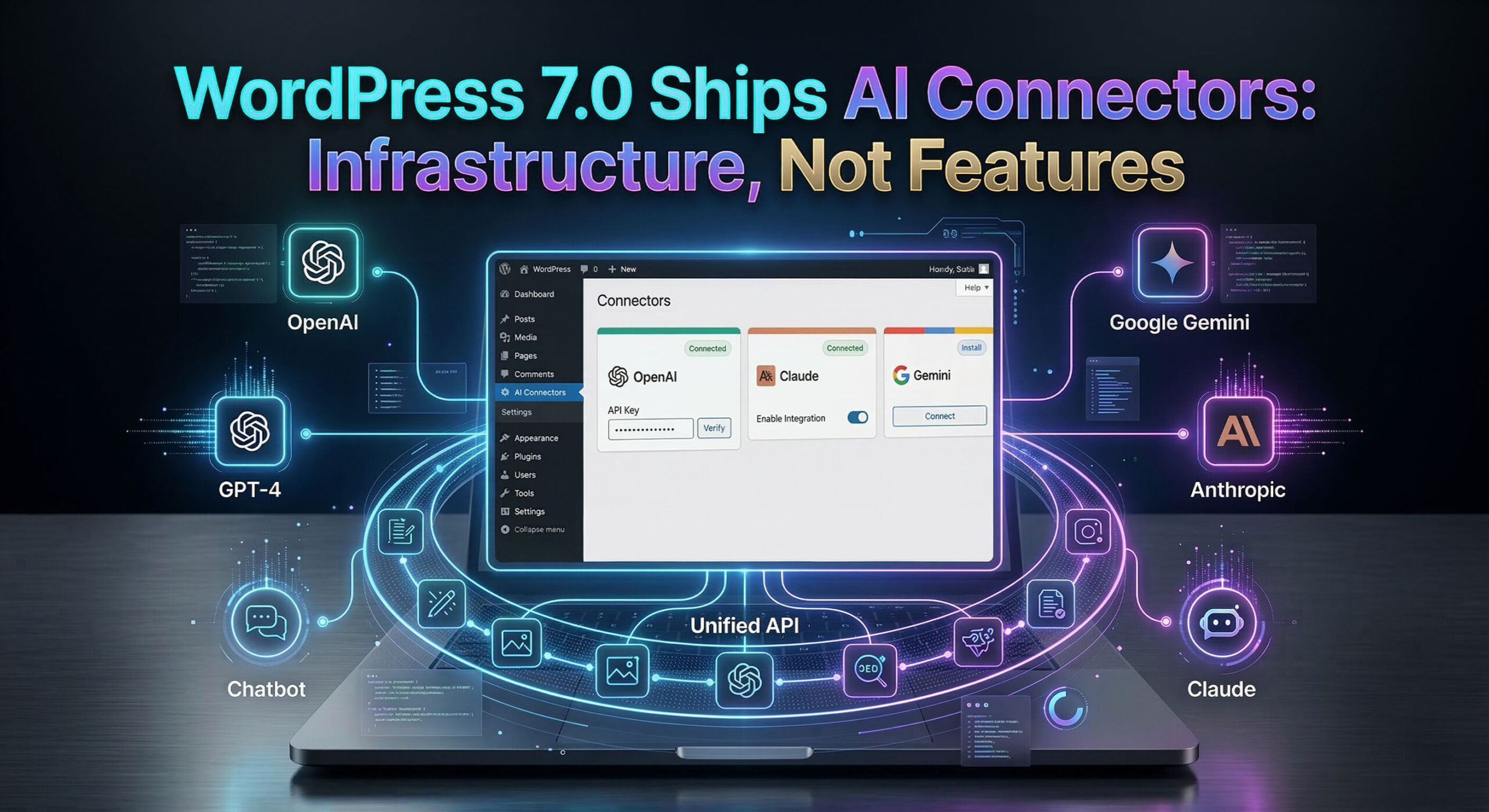
WordPress 7.0, scheduled for release on April 9, 2026, during WordCamp Asia Contributor Day, will introduce AI Connectors – a centralized credential management system that lets any WordPress plugin connect to OpenAI, Google Gemini, or Anthropic Claude through a single, shared API layer. It is the most architecturally significant WordPress release in years, and it arrives alongside real-time collaborative editing, a redesigned admin interface, and a turbulent week of three security patches in 24 hours that exposed ongoing quality-control tensions within the project.
For hosting companies and agencies managing WordPress at scale, the implications are immediate: AI features are coming to the WordPress ecosystem, and the infrastructure powering them will be built into core.
What AI Connectors Actually Do
AI Connectors live in wp-admin under Settings > Connectors. The interface lets site administrators enter API keys for supported AI providers once, after which every plugin on the site can use those credentials through a unified PHP library called the WP AI Client SDK.
The design is deliberately minimal. WordPress 7.0 ships infrastructure, not AI features. A fresh install will not use AI by default – no content generation, no image creation, no automated suggestions. Plugins must be installed to activate any AI functionality. The core team explicitly separated the “how AI connects” layer from the “what AI does” layer.
Three providers are supported at launch: OpenAI, Google (Gemini), and Anthropic (Claude). As of Beta 3, the Connectors screen dynamically registers providers from the WP AI Client registry, making the system extensible to additional services.
The architecture rests on three components:
- WP AI Client SDK – A provider-agnostic PHP library for standardized AI service communication
- Abilities API – Introduced in WordPress 6.9, it defines what actions plugins can perform
- MCP Adapter – Implements the Model Context Protocol, enabling external AI tools like Claude Desktop, Cursor, and VS Code to discover and invoke WordPress abilities programmatically
What Plugins Can Build on Top
The official AI Experiments plugin (version 0.4.1, released March 6, 2026) serves as the reference implementation for what the Connectors infrastructure makes possible. With approximately 1,000 active installations – a modest number consistent with its experimental status and the fact that WordPress 7.0 has not yet shipped – it demonstrates the range of capabilities the SDK supports:
- Content generation – AI-assisted writing directly within the block editor
- Image generation – Text-to-image creation in the Media Library, with the ability to generate variations
- Review Notes – Block-by-block content analysis covering accessibility, grammar, readability, spelling, and SEO
- Type-ahead suggestions – Predictive text while writing
- Comment moderation – AI-assisted review of user comments
The MCP Adapter deserves particular attention from hosting companies. It allows AI coding assistants to interact with WordPress sites programmatically – querying settings, invoking actions, and managing content through natural language. For agencies and developers, this turns any WordPress site into an AI-accessible endpoint.
Beyond AI: Real-Time Collaboration and Admin Redesign
AI Connectors are the headline, but WordPress 7.0 includes several other significant changes.
Real-time collaborative editing (Phase 3 of the Gutenberg roadmap) allows multiple users to edit the same post or page simultaneously. The system supports offline editing with automatic sync on reconnect. The default implementation uses HTTP polling, with WebSocket support available via plugins or hosting-level configuration – a detail that hosting providers should note, as WebSocket support will become a differentiator for managed WordPress plans.
Visual revisions replace the traditional text-diff view with side-by-side visual comparisons of page versions directly in the editor.
The admin dashboard redesign introduces a fresh default color scheme and replaces the legacy WP List Tables with DataViews components – app-like interfaces with inline filtering, consistent spacing, and no page reloads.
New blocks include Icons, Breadcrumbs, and an updated Navigation block. The Cover block now supports video embed backgrounds, and a new responsive controls system lets authors hide or reveal specific blocks by screen size.
Client-side media processing moves image resizing and compression into the browser, reducing server load – another change with direct hosting implications.
WordPress 7.0 also drops support for PHP 7.2 and 7.3, requiring PHP 7.4 or higher.
The Security Patch Chaos
The week before Beta 4, the WordPress security team released three patches in approximately 24 hours – an unusual sequence that drew sharp attention from the WordPress developer community and managed hosting providers who auto-update customer sites.
WordPress 6.9.2 shipped on March 10 addressing 10 security issues, but introduced a template file loading bug that caused white screens on some themes. WordPress 6.9.3 followed the same evening as an emergency fix for the white-screen regression. Then on March 11, the security team discovered that some 6.9.2 fixes had not been fully applied, prompting WordPress 6.9.4 – which patched a PclZip path traversal vulnerability, an authorization bypass on the Notes feature, and an XXE vulnerability in the getID3 library.
Three security releases in 24 hours is not standard operating procedure. For hosting companies that auto-update WordPress installations, this kind of rapid-fire patching creates real operational risk – particularly when one of the patches (6.9.2) introduced a regression that broke sites.
Community Pushback
The decision to merge AI infrastructure into WordPress core has not been universally welcomed.
Core committer Aaron Jorbin questioned why the AI Client needs to live in core if it ships disabled by default, arguing that a standalone plugin would allow more frequent updates outside the core release cycle. Contributor Sergio Scabuzzo noted that WordPress historically tests major features in plugins for extended periods before merging – but the WP AI Client had only shipped four releases since its introduction in mid-November 2025.
Matt Medeiros of The WP Minute raised a broader strategic concern: whether machine-to-machine AI infrastructure should take priority over long-promised features like multilingual support, which the WordPress community has been requesting for years.
The tension reflects a fundamental question about WordPress’s direction. The project’s foundational AI vision document, published in December 2025 by Jason Adams, stated that “for AI to be a cornerstone of WordPress’s success, it must be a win for the entire ecosystem.” Whether the current approach meets that standard is actively debated.
How WordPress Compares to Competitors
WordPress’s approach to AI is architecturally distinct from what competitors are doing.
Wix launched Harmony in January 2026 – a conversational AI builder that generates entire sites from chat prompts, including AI images, content, and SEO optimization. Hostinger generates complete sites from three questions in approximately 45 seconds. GoDaddy Airo creates websites, logos, social media content, and email templates from a single prompt. Squarespace has integrated AI across its existing feature set for SEO, product descriptions, and design suggestions.
But the WordPress ecosystem is not waiting for core to catch up. AI site generation already works in WordPress – through plugins, page builders, and hosting-bundled tools that have been shipping these features for months.
The major page builders have added AI across the board. Elementor AI, with over 10 million active installations, now includes an AI Site Planner that goes from concept to wireframe, an AI Copilot for page design, and AI image and content generation. Divi AI generates entire Divi websites via its Quick Sites feature in one to two minutes – layouts, content, images, menus, and Theme Builder templates. SeedProd, with over 700,000 active installations, generates full sites in 10 to 40 seconds.
A separate category of tools builds on native Gutenberg blocks rather than proprietary builders. Extendify Launch AI generates WordPress sites using only core blocks – no page builder required – and is aimed at hosting providers: WebPros integrated it into WP Squared, and Hosting.com and Spaceship bundle it in their plans. ZipWP, built by the team behind the Astra theme (whose Starter Templates plugin has over 2 million active installations), generates sites in roughly 60 seconds using the Astra theme and Gutenberg-based Spectra blocks. Kadence AI Starter Templates, with over 200,000 active installations, takes a similar approach – AI fills curated block-based templates with custom content.
Hosting providers themselves have started shipping their own AI builders. Bluehost WonderSuite generates three fully built WordPress site options from a few questions, using native blocks, and bundles AI content, design, and help tools into the hosting plan. DreamHost Liftoff AI does the same – full site generation in under a minute, native blocks, portable output. 10Web offers a white-label API that lets hosting companies embed AI site generation into their own dashboards under their own brand. And Automattic itself ships Jetpack AI Assistant (5 million+ Jetpack installations) as a Gutenberg block for AI content generation, alongside a dedicated WordPress.com AI Assistant that can adjust layouts and generate pages via natural language.
The picture is clear: the “describe your site and we will build it” experience already exists in WordPress, multiple times over. It just lives in plugins and hosting layers, not in core. WordPress 7.0 is not shipping AI features – it is shipping the plumbing that these tools can now share. Whether that plumbing matters more than the tools themselves is an open question.
For hosting companies, the immediate takeaway is that the AI site-building race in WordPress is already underway, and hosting providers are expected to pick a side – bundle a builder, build their own, or explain to customers why their WordPress setup still starts with a blank page.
What Mullenweg Is Saying
Matt Mullenweg has framed 2026 as one of the “most exciting technology years” in his career. In a series of blog posts in early 2026, he wrote: “Technology is best when it puts you in control, gives you ownership, digital autonomy, freedom, and liberty. That’s open source.” And: “It’s so exciting to see how AI is supercharging open source.”
On WordPress’s future trajectory, Mullenweg stated that the technology “will take us from millions of WordPresses in the world to billions” – a vision that the my.WordPress.net launch (covered separately) is designed to begin realizing.
Automattic conducted its first two-week in-person AI Enablement intensive in early 2026, signaling that AI integration is now a company-wide operational priority, not just a product initiative.
Key Dates
The WordPress 7.0 release cycle spans approximately seven weeks from Beta 1 to final release, with the schedule expanded from four to five betas after the Beta 1 launch was delayed by one day.
| Date | Event |
|---|---|
| February 20, 2026 | WordPress 7.0 Beta 1 |
| March 5, 2026 | AI Experiments plugin 0.4.0 released |
| March 10–11, 2026 | WordPress 6.9.2, 6.9.3, 6.9.4 security releases |
| March 12, 2026 | WordPress 7.0 Beta 4 |
| March 19, 2026 | WordPress 7.0 RC1 |
| April 2, 2026 | WordPress 7.0 RC2 |
| April 9, 2026 | WordPress 7.0 final release (WordCamp Asia Contributor Day) |

Łukasz Nowak
Nearly two decades in IT. A decade in web hosting - and still in the trenches. Writing about the infrastructure that runs the internet from the inside.
Sources
- WordPress 7.0 Beta 3 - WordPress.org
- WordPress 7.0 Development Hub - Make WordPress Core
- AI as a WordPress Fundamental - Make WordPress Core
- Proposal for Merging WP AI Client into WordPress 7.0 - Make WordPress Core
- What's New in AI Experiments 0.4.0 - Make WordPress AI
- Introducing the WordPress MCP Adapter - WordPress Developer Blog
- AI Experiments Plugin - WordPress.org
- WordPress 7.0 Beta 2 Ships With Connectors UI - The Repository
- What the AI Connectors Actually Do - 365i
- WordPress Ships 3 Security Patches in 24 Hours - 365i
- WP & AI Updates - Matt Mullenweg
- WordPress, AI, Plugins, Future - Matt Mullenweg
- WordPress Market Share - W3Techs
- WebPros Partners with Extendify to Elevate WordPress Experience - cPanel News
- Extendify Launch AI