
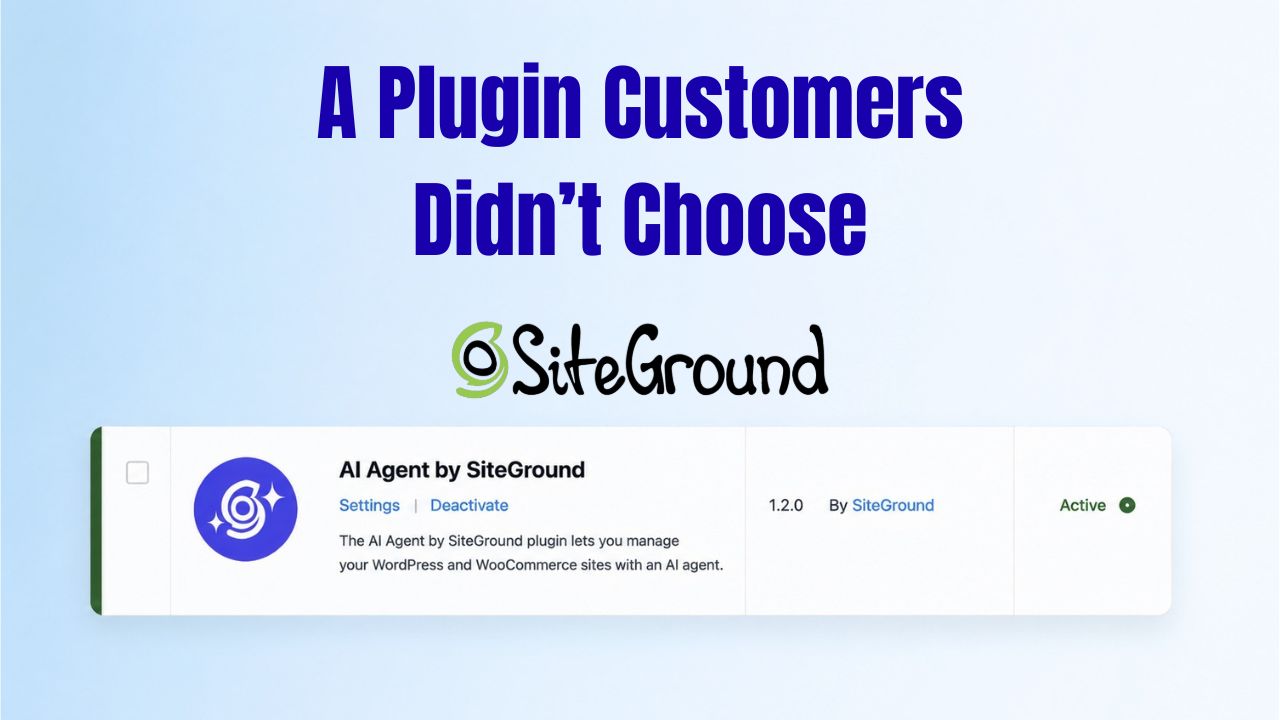
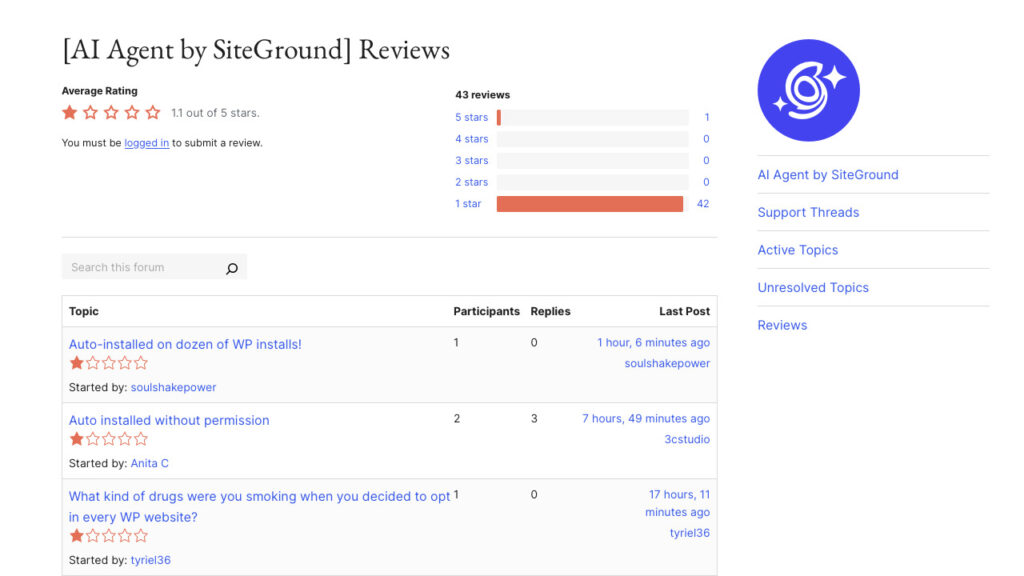
In late May 2026, SiteGround auto-installed and auto-activated its AI Agent by SiteGround plugin across its WordPress customer base, driving the plugin’s active installation count on WordPress.org to over one million. The rollout was timed to coincide with the May 20 release of WordPress 7.0 and the new Settings > Connectors screen that ships with it. The plugin arrived already configured as the SiteGround customer’s default AI connector, with 20,000 free monthly AI tokens included. Within days, the plugin’s WordPress.org page collected a wave of one-star reviews. As of June 3, 2026, the plugin’s rating sits at 1.1 out of 5 stars, with 42 one-star reviews against a single five-star.
Key numbers
- Plugin: AI Agent by SiteGround (slug: sg-ai-studio)
- Active installations: 1+ million per WordPress.org
- WordPress.org rating: 1.1 / 5
- Reviews breakdown: 1 five-star, 0 four/three/two-star, 42 one-star
- Rollout timing: Around the WordPress 7.0 release on May 20, 2026
- Included: 20,000 free AI tokens per site per month, connection to SiteGround AI Studio
What Got Pushed Out and When
The plugin was first published on WordPress.org on April 14, 2026, and went through seven minor releases through late May. Version 1.1.8 on May 18 added “WP core AI functionalities support.” Version 1.1.9 on May 20 shipped the same day as WordPress 7.0 with an “introductory banner to chat.” Version 1.2.0 followed on May 28 with chat bubble improvements and menu support.
The plugin’s capabilities are substantial. AI Agent by SiteGround manages WordPress and WooCommerce sites through a chat interface: creating, editing, and publishing posts; managing the media library; installing or removing plugins and themes; updating site settings; adding and managing users; and running bulk operations across connected sites. A “Power Mode” safety layer requires explicit confirmation for high-impact actions such as deletions, user changes, and WooCommerce order modifications.
The plugin connects to SiteGround AI Studio, which serves as the LLM gateway. Through AI Studio, the plugin provides access to Claude, ChatGPT, Gemini, Imagen, and Nano Banana, alongside SiteGround’s own agents. This is the substantive product story behind the rollout: SiteGround is not selling AI tokens as a thin upsell. It has built a multi-LLM management interface for WordPress and WooCommerce sites and is pushing it to its installed base by default.
The Rating Hit 1.1 in Days
The WordPress.org plugin page tells the story of how customers received the rollout. The plugin holds 1.1 stars out of 5, with the rating distribution heavily concentrated at the bottom: one five-star review, no four-star, no three-star, no two-star, and 42 one-star reviews. The five-star outlier is one review against a wall of complaints.
The reviews are specific and consistent. The complaint is not about the plugin’s quality or its features. The complaint is about consent.
From “Force Install Without Consent – not happy” (June 1, 2026):
“Not a good move to install this plugin on 30+ of our sites without consent. We don’t want AI. We want nothing to do with AI. We don’t want our clients playing with AI and building sections – that’s what WE do. 1 star just because you took control of a site you never should have been inside.”
From “Installed without consent” (June 1, 2026):
“Making a plugin available to users – fine. Installing across all sites without consent – not fine.”
The recurring concerns in the reviews are not about whether AI is useful. The concerns are about who decides what runs inside a WordPress installation that the customer is responsible for managing, and about the practical cost of un-installing across multi-site portfolios.
SiteGround’s Justification
SiteGround framed the rollout publicly as a deliberate response to integration friction. The company stated that “WordPress 7.0 is a watershed moment for native AI in WordPress” and argued that the standard setup path required customers to install a connector plugin, obtain and configure an API key, install a WordPress AI plugin, and then pay a third-party provider for usage. SiteGround’s position is that most users would never finish that sequence, and that pre-installing AI Agent with 20,000 free tokens removed the friction that would otherwise block adoption.
SiteGround emailed customers in the week before the WordPress 7.0 release outlining what was about to happen. Customer responses in the WordPress.org reviews indicate the email did not register as a meaningful heads-up. Several customers said the email read as promotional rather than as notice that software was about to be installed on infrastructure they manage. Some said they did not see the email at all.
The WordPress 7.0 Connectors Screen Made the Move Possible
The reason this rollout took the specific shape it did is the new Settings > Connectors screen in WordPress 7.0. The Connectors screen is a unified interface for AI provider credentials. WordPress 7.0 ships with three default connectors registered out of the box: OpenAI, Anthropic, and Google. The site owner can set a default provider, and plugins that do not specify a model route through that default.
This is the architectural lever SiteGround used. By auto-installing AI Agent by SiteGround and pre-configuring it as the default connector for SiteGround-hosted sites, the company put itself between any future AI-using plugin and the LLM endpoint. As a customer-side choice, that integration is useful. As a default applied without explicit per-site approval, it is what the reviews are pushing back on.
Where Does the Host’s Authority Over the Customer’s Site End?
The recurring theme in the WordPress.org reviews is a question about boundaries. Hosts routinely intervene on customer sites for security reasons: patching known vulnerabilities, blocking malicious traffic, disabling exploited plugins. Customers generally accept these interventions because they protect the customer’s site and the host’s infrastructure. Installing a new commercial product on a customer site is a different category of action.
WordPress core itself has a published guidance document, “Guidance on plugins that install other plugins”, dated September 2024, addressing exactly the question of consent flows for plugin installation. SiteGround’s action was not technically through the plugin-installs-plugin mechanism the guidance addresses; it was a host-level action on managed infrastructure. The principle in the reviews is the same: software the customer did not approve should not run on the customer’s site by default.
For the broader hosting industry, the question is also about precedent. If a major managed WordPress host can install a commercial AI product on its customer base by default, every other host can do the same. The next host doing it may face less backlash because SiteGround has been the test case, or more backlash because the pattern is now visible.
What to Watch Next
- A bulk-disable option in the SiteGround dashboard. Several reviewers specifically asked for this. It would address the practical complaint without reversing the strategic move.
- Any response from Automattic or the WordPress core team. The Connectors screen is part of WordPress core. How the project responds to a host using core architecture for default opt-in shapes future guidance for every other managed WordPress host.
- The rating trajectory on WordPress.org. 1.1 stars with 42 one-star reviews is unusual on the repository. Whether the rating moves at all in coming weeks is a measurable signal of customer mood.
- Whether other managed WordPress hosts follow the model. Bluehost and Hostinger have both made AI a strategic priority. How they push it to existing customers is now a watch item.

Sources
- AI Agent by SiteGround - WordPress.org Plugin Directory (official)
- AI Agent by SiteGround Reviews - WordPress.org (official)
- SiteGround Auto-Installs AI Plugin on Customer Sites, Calls WordPress 7.0 a 'Watershed Moment' as Customers Push Back - The Repository
- 1 Million Forced Installs and a 1-Star Rating: Inside SiteGround's AI Plugin Rollout - WP Mayor
- SiteGround Faces Backlash After Automatically Installing AI Plugin On Customer Sites - WP Content
- Guidance on Plugins That Install Other Plugins - Make WordPress Plugins (official)
- WordPress 7.0 Armstrong Release - WordPress News (official)