
At Extendify, we have the privilege of working with over 100 web hosting companies across more than 200 brands — and together, we’ve accumulated a rare kind of knowledge: what actually happens when customers try to build their first website. We’ve seen where they get stuck, where they give up, and — crucially — what keeps them going.
What stops customers is not complexity itself — it’s complexity that was never designed with them in mind. After studying the full journey from purchase to renewal, five things stand out as the difference between a user who stays and one who disappears.
1. Eliminate confusion before it starts
Most churn begins before the customer ever builds a single page.
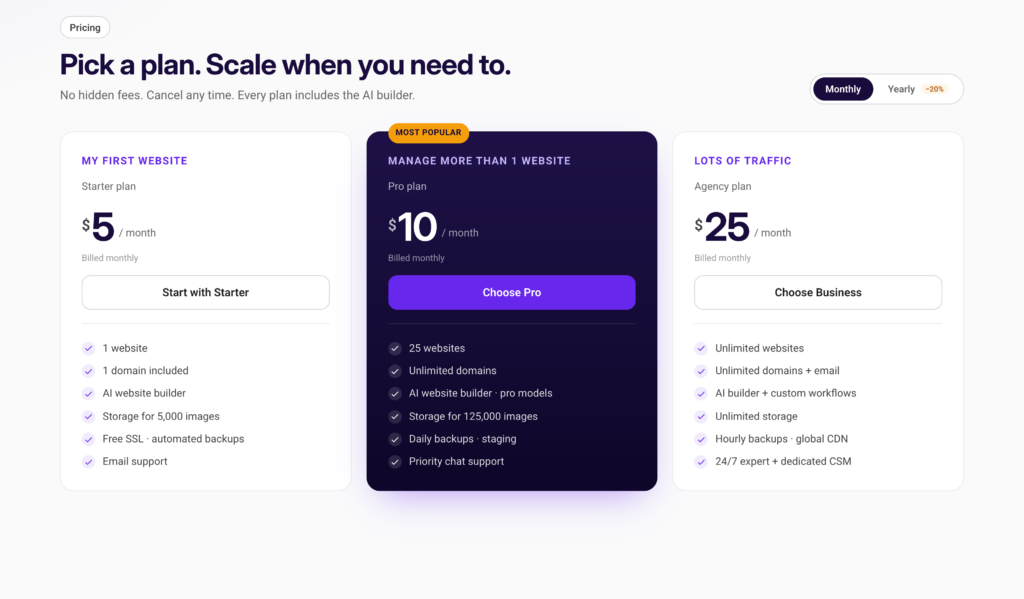
Name your hosting plans after the customer’s situation: ‘My first website’, ‘Growing fast’, ‘Running a business’ give more context than ‘Starter Pro’, ’50 GB NVMe SSD’, ‘unmetered bandwidth’. Translate technical specs into a human-scaled outcome — not ‘NVMe SSD storage’ but ‘room for thousands of pages and photos’. Add a visible ‘Start here’ callout for undecided buyers, and make upgrading feel safe with a single reassuring sentence: ‘You can switch plans any time, and we’ll prorate the difference.’
2. Design dashboards for the user’s goal, not your tools
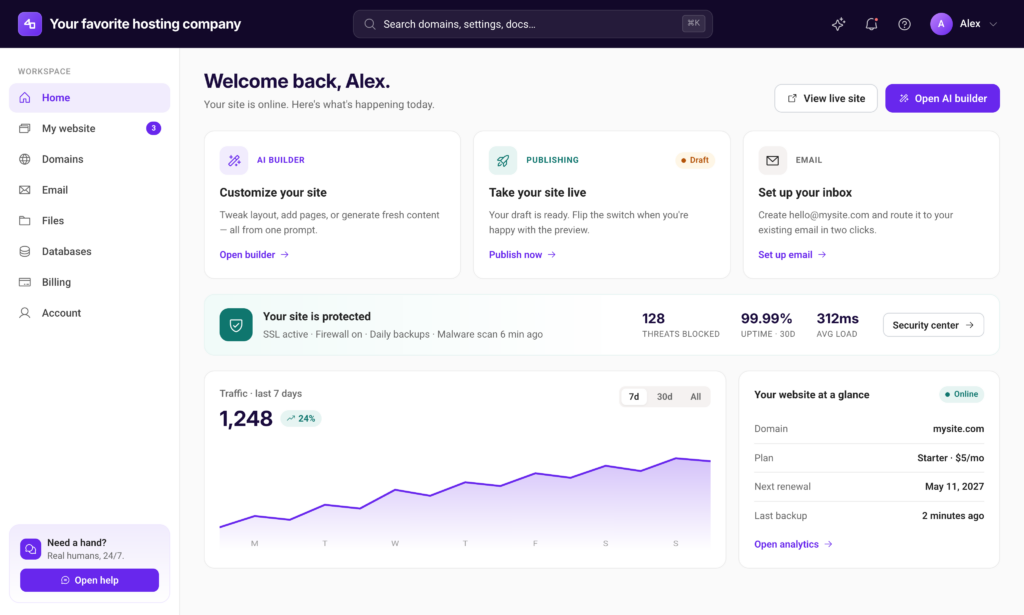
After paying, the user arrives at a control panel. They present every available tool — File Manager, Cron Jobs, Softaculous, DNS Zone Editor — at equal visual weight, with no signal about what a beginner actually needs. The result is a dashboard that feels like a cockpit for a user who has never flown a plane.
The answer is a default view designed for the beginner’s goal, with advanced tools accessible but not intrusive. Show new users what they came to do. Hide what they don’t need yet behind a clearly labeled ‘Advanced’ section.
SUPER IMPORTANT: Auto-enabling HTTPS and auto-installing WordPress removes two of the most common early exit points.
3. Make it really easy to go from “WordPress is installed” to “You’re website is ready”
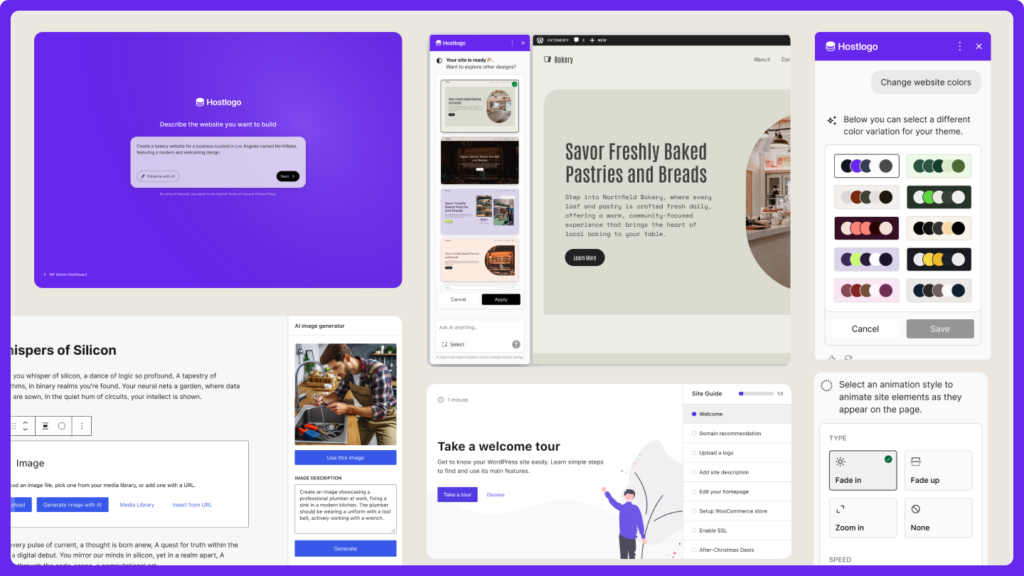
Offering a seamless experience from WP login to website creation removes a lot of friction and gives the users the security they need to continue in this process without feeling overwhelmed.
This is where Extendify helps. Through our onboarding tools, embedded directly into the WordPress setup experience, we help users land inside a guided website-creation flow. Rather than facing an empty WordPress install, they are walked through choosing a style, adding their first pages, and publishing something real.
4. Make security and maintenance invisible
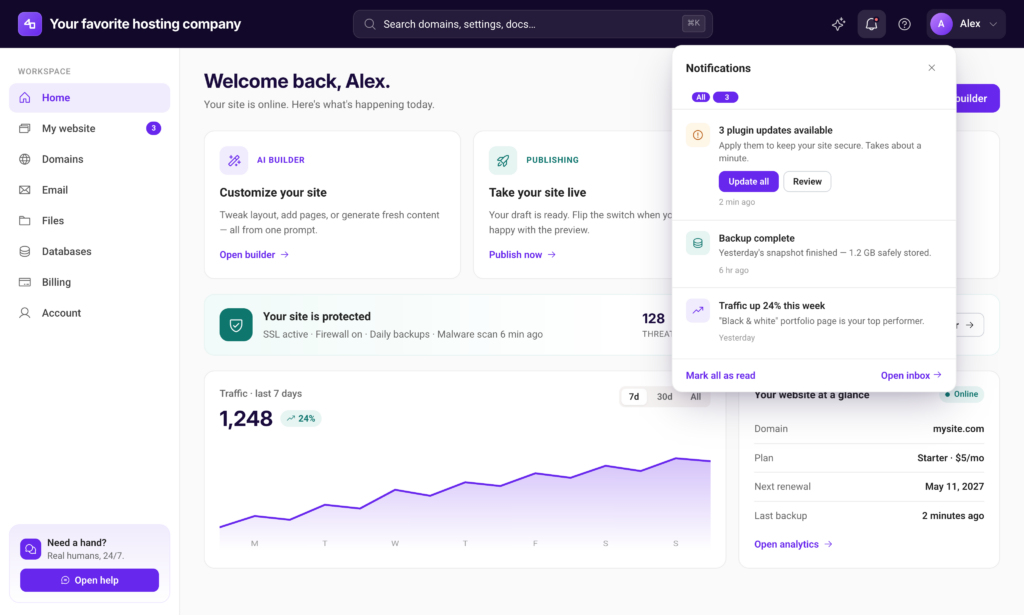
The best hosting experience handles security and maintenance automatically, and then communicates clearly that it has done so. Backups should be automatic and confirmed: a simple dashboard indicator that says ‘Your last backup was 6 hours ago’ costs nothing to build and prevents a category of support tickets. SSL should be enabled by default.
WordPress and plugin updates are another area where the framing matters as much as the functionality. ‘You have 3 updates available to keep your site secure’ is a safety message.
5. Incentive renewal with facts
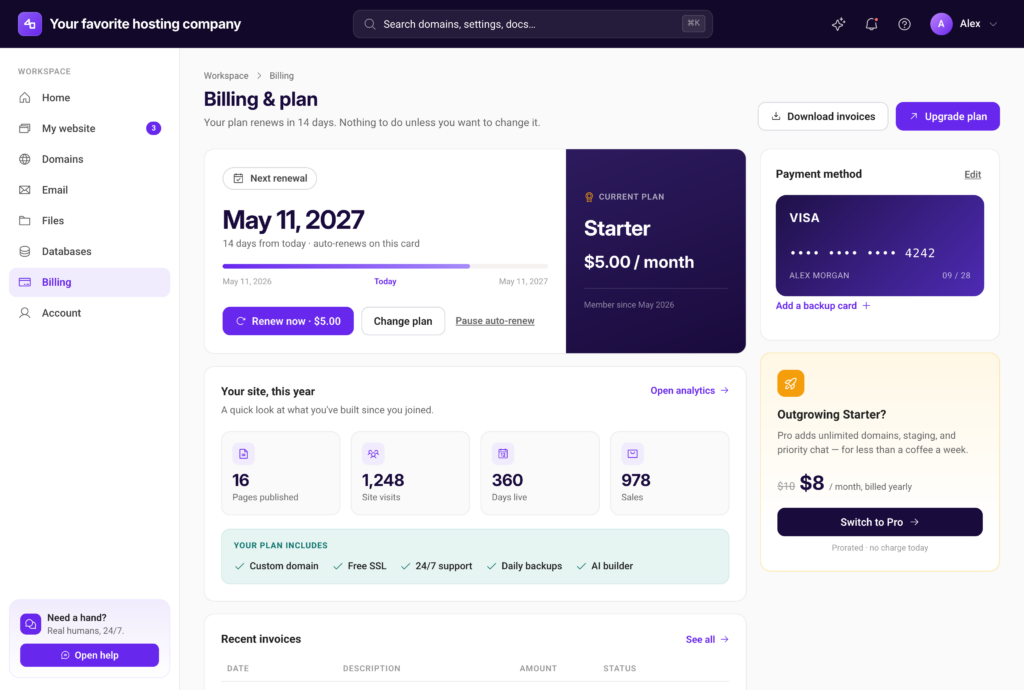
Reframe the renewal moment as a milestone rather than a bill.
Show the user what they’ve built: how many pages they’ve published, how many visits they’ve received, how long their site has been live. That context transforms a cost into an investment, and gives the user security about the work and time they have put into creating and maintaining their site.
The through-line
Every one of these five principles points to the same underlying truth: most customers don’t churn because they found a better host. They churn because they felt lost, overwhelmed, or misled — and nobody stepped in to help them before it was too late.
The hosting companies that are getting this right are not the ones with the most features. They are the ones who decided that a simplified experience is one worth designing for. That decision shows up in lower churn, fewer support tickets, stronger word of mouth, and customers who actually feel good about renewing.
